Figma vs Canva: Which Should You Choose?
A practical head-to-head comparison of Figma and Canva, covering quick verdict, key differences, category winners, buyer fit, and FAQ.
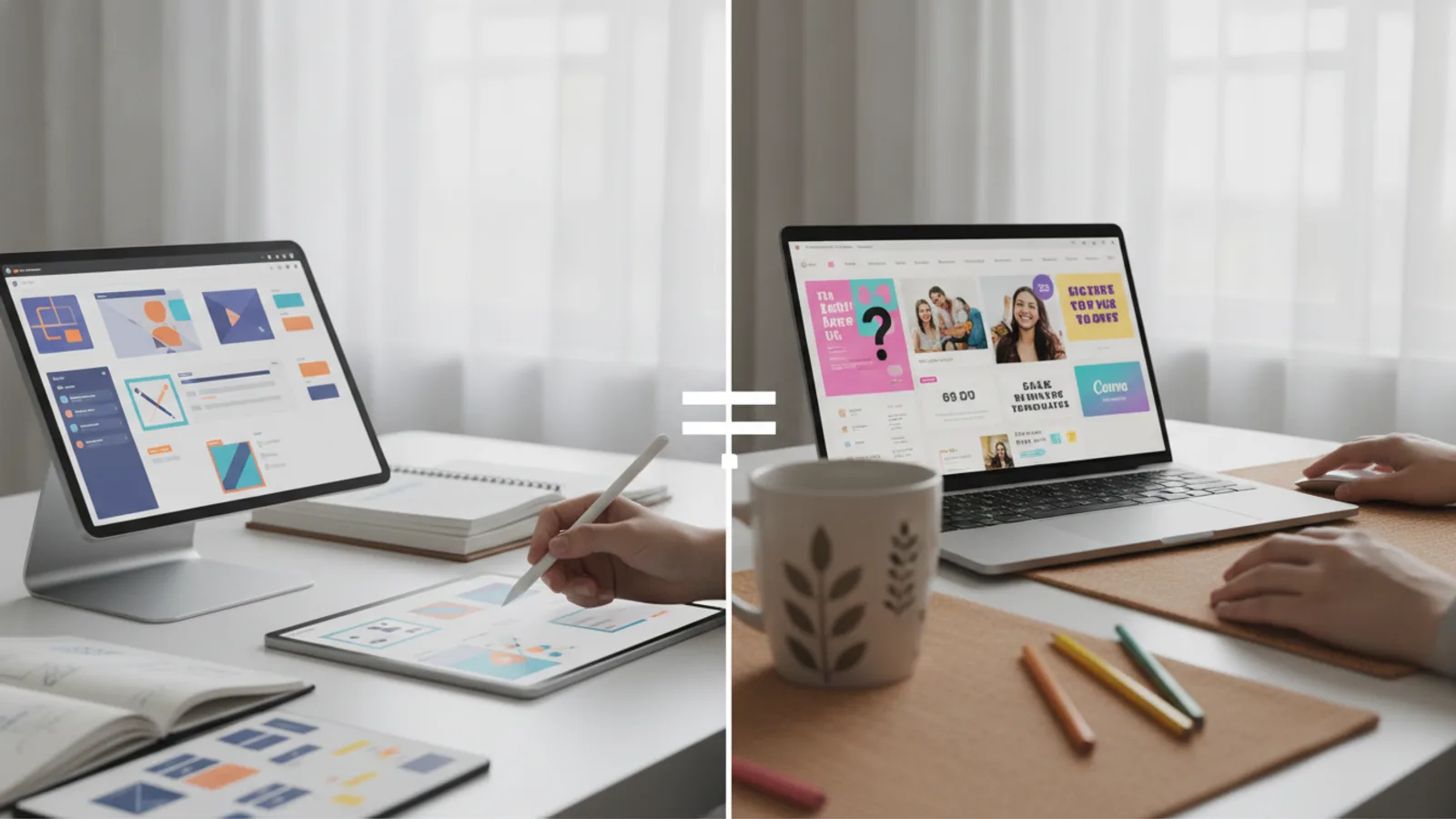
Figma vs Canva: Which Should You Choose?
Head-to-head comparison
Overall winner: Figma for its professional-grade design power and industry-standard collaboration.
Figma is the essential tool for professional UI/UX designers creating complex digital products and scalable design systems. Canva is the perfect choice for marketers, entrepreneurs, and content creators who need to produce beautiful marketing collateral quickly and easily, without a design background. Your role and project goals will determine the right tool for you.
This comparison is based on extensive research into each platform's official feature sets, documentation, pricing structures, and an analysis of public feedback from thousands of users, from professional product designers to small business owners. We've distilled this data to provide clear, practical guidance.
At first glance, Figma and Canva seem to occupy the same space: they are both web-based tools for creating visual content. However, they are built with fundamentally different users and goals in mind. Figma is a powerful, flexible interface design tool for professionals building the digital products we use every day. Canva is an accessible, template-driven graphic design platform that empowers anyone to create stunning marketing materials. Choosing a winner isn't about which is "better" overall, but which is precisely engineered to solve your specific problem.
Option A
Figma
- Best for UI/UX and product designers
- Unmatched vector editing and prototyping
- Steeper learning curve for beginners
Option B
Canva
- Best for marketers and content creators
- Massive template and asset library
- Limited control for complex design work
Head-to-Head Scorecard
Figma vs Canva: Key Differences
The most significant difference between Figma and Canva lies in their core philosophy. Figma is a digital canvas that gives professional designers infinite control. It starts with a blank slate, providing powerful tools like vector networks, auto layout, and variables to build complex user interfaces from the ground up. It's designed for creation and systems-thinking. Its primary output is interactive prototypes and production-ready assets for software development.
Canva, in contrast, is a guided design experience. It starts with a template. It's built to help non-designers assemble professional-looking graphics by replacing text and images in pre-made layouts. Its tools are simplified for speed and ease, prioritizing quick results over granular control. Its primary output is static or lightly animated marketing collateral: social media posts, presentations, flyers, and business cards.
Think of it like this: an architect uses sophisticated CAD software (Figma) to design a skyscraper from scratch, while a homeowner uses a simple drag-and-drop tool (Canva) to plan their new kitchen layout using pre-built cabinet models. Both are "design," but the tools, skills, and end goals are worlds apart.
Measurement
Routine Fit: Core Design Capabilities
When it comes to the raw power of the design tools, Figma operates in a different league. Its foundation is a sophisticated vector editor. With vector networks, designers can draw complex shapes with multiple paths intersecting at a single point, offering a level of control that traditional vector tools can't match. Features like Auto Layout allow for the creation of responsive components that adapt as content changes, mirroring how modern websites and apps are built with code. Components and Variables let teams build and maintain comprehensive design systems, ensuring consistency and scalability across massive products.
Canva’s design tools are intentionally simple. You can add basic shapes, lines, and text, but you cannot perform complex vector manipulation. Its editor is object-based; you place and arrange pre-existing elements (photos, graphics, text boxes) on a canvas. While you can resize, rotate, and layer these objects, you can't fundamentally alter their structure in the way you can in Figma. This simplicity is a feature for its target audience, as it prevents overwhelm and speeds up the creation process for standard marketing assets. However, for any task requiring custom iconography, detailed illustration, or responsive interface design, Canva's toolset is prohibitively limited.
Formula or Feature
Formula or feature winner: Collaboration and Team Workflow
Figma revolutionized the design industry with its real-time, browser-based collaboration, a feature that remains its crown jewel. Multiple designers, developers, and product managers can work inside the same file simultaneously, just like in Google Docs. Cursors fly across the screen, changes are reflected instantly, and communication happens directly on the canvas through threaded comments. This eliminates the painful process of saving, exporting, and sharing static files. Furthermore, Figma's Dev Mode is a game-changer for developer handoff. It provides a dedicated interface where developers can inspect designs, get CSS, iOS, or Android code snippets, and download assets, dramatically streamlining the path from design to production.
Canva also has strong collaboration features, but they are tailored for a marketing workflow. Team members can share designs, leave comments, and work together on presentations or social media campaigns. Canva for Teams introduces Brand Kits, which allow administrators to lock down fonts, colors, and logos to ensure consistency. It also includes approval workflows, where a manager can review and sign off on a design before it's published. This is excellent for managing a brand's visual identity across a marketing department, but it lacks the deep, real-time co-creation and developer-specific tools that define Figma's workflow.
Measurement
Ease of use winner: Ease of Use & Learning Curve
Canva's primary value proposition is its unparalleled ease of use. A person with zero design experience can sign up and create a professional-looking Instagram post or business presentation in under five minutes. The interface is clean, intuitive, and centered around a massive, searchable template library. The workflow is simple: find a template you like, replace the placeholder text and images, and download. AI-powered tools like "Magic Write" and "Magic Eraser" further simplify the content creation process. The learning curve is practically non-existent, making it the most accessible design tool on the market.
Figma, by contrast, presents a significant learning curve for newcomers. While its interface is well-organized, the sheer number of powerful tools and concepts—components, constraints, variants, prototyping, vector networks—can be intimidating. To use Figma effectively, one needs to understand not just the software, but also the principles of UI/UX design. It's a professional tool designed for specialists. While extensive tutorials and a vibrant community exist to help new users, it requires a dedicated effort to become proficient. It is not a tool you can master in an afternoon.
Measurement
Value winner: Pricing and Value for Money
Both Figma and Canva offer robust free tiers, but the value they provide caters to their respective audiences. Figma's "Starter" plan is incredibly generous for individuals and small teams. It allows for unlimited personal files and collaborators, giving users access to most of the core design and prototyping features. This makes it completely viable for students, freelancers, and small projects to use Figma professionally without paying a cent. Paid plans (Professional, Organization) are necessary for features like team libraries, advanced prototyping, and administrative controls, which are essential for larger companies.
Canva's free plan is also very functional, offering thousands of templates and design assets. However, many of the best templates, stock photos, and advanced features (like Background Remover, Brand Kit, and Content Planner) are locked behind the Canva Pro subscription. For any serious business or marketing use, Canva Pro is practically a necessity. That said, the value offered by Canva Pro is immense for its target user. For a relatively low monthly fee, a user gains access to a seemingly infinite library of assets and time-saving tools that can easily replace multiple other subscriptions (e.g., stock photo services). For the average marketer or small business owner, the immediate return on investment from Canva Pro is often higher than that of a paid Figma plan.
Measurement
Buyer confidence winner: Templates and Asset Libraries
This is Canva's undisputed domain. The platform is built around a colossal, ever-growing library of over 250,000 free and millions of premium templates for virtually every conceivable use case: social media posts for every platform, multi-page presentations, video ads, resumes, business cards, t-shirts, and more. This is complemented by an integrated library of millions of stock photos, videos, audio tracks, and graphic elements. This all-in-one approach means a user rarely has to leave Canva to find the assets they need, drastically speeding up content creation.
Figma's approach to templates is community-driven. The Figma Community is a platform where users can publish and share files, UI kits, icon sets, and plugins. You can find incredibly detailed templates for iOS apps, Material Design systems, or website wireframes. However, these are fundamentally different from Canva's templates. They are not "ready-to-publish" marketing assets but rather foundational building blocks for designers. They are meant to be deconstructed, customized, and integrated into a larger design project. While invaluable for designers, this ecosystem doesn't serve the same purpose of quick, simple content creation that Canva's library does.
Choose Figma If...
- You are a professional UI/UX designer, product designer, or front-end developer.
- You need to create high-fidelity, interactive prototypes for websites and mobile applications.
- You work collaboratively with a team of designers and developers and require a single source of truth.
- You are building or maintaining a scalable design system with reusable components.
- You require precise vector editing tools for creating custom icons and illustrations.
- Your work demands pixel-perfect control and responsive design capabilities.
Choose Canva If...
- You are a marketer, social media manager, small business owner, or content creator.
- You need to quickly produce a high volume of marketing materials like social graphics, presentations, or flyers.
- You do not have a formal design background and prefer to work with pre-made templates.
- You need an all-in-one solution with access to a vast library of stock photos, videos, and graphics.
- Your primary goal is maintaining brand consistency across various marketing channels.
- You value speed and ease of use over granular creative control.
Choose Figma If
- You want the stronger default fit after checking the current evidence.
- You care about broader usefulness across the main comparison criteria.
- You prefer the option with clearer decision support for most readers.
Choose Canva If
- Your situation matches Canva's narrower strength more closely.
- You prefer a simpler starting point with fewer tradeoffs to manage.
- You have verified the current details and they fit your specific priority.
Final Verdict: Figma vs Canva
There is no single winner in the Figma vs Canva debate, only the right tool for the job. These two platforms, while both visual editors, are expertly crafted for distinctly different worlds.
Figma is the undisputed champion for professional product design. It is the industry-standard tool for a reason. Its powerful vector engine, revolutionary collaboration model, advanced prototyping, and robust design systems capabilities make it the essential platform for creating the complex digital experiences we rely on daily. For anyone whose job title includes "designer" or who works on a software product team, Figma is not just the better choice—it's the only choice.
Canva is the ultimate design tool for everyone else. It has successfully democratized design, empowering millions of people to create beautiful, professional-looking visuals without years of training. Its strength lies in its simplicity, its speed, and its bottomless library of templates and assets. For marketers, entrepreneurs, educators, and anyone who needs to make a great-looking pitch deck or social media post in minutes, Canva is a game-changer. It removes friction and delivers fantastic results, fast.
Our final recommendation is simple: if you build digital products, use Figma. If you create marketing and communications content, use Canva.
Figma vs Canva: Which Should You Choose? FAQ
Can Figma be used for social media graphics?
Yes, you can absolutely create social media graphics in Figma, and some designers prefer it for the complete control it offers. However, for most people, it's a case of using a sledgehammer to crack a nut. Canva is purpose-built for this task with thousands of correctly-sized templates, integrated stock photos, and simple animation tools that make the process dramatically faster.
Can Canva be used for UI/UX design?
While you could create very basic, static wireframes or screen mockups in Canva, it is not recommended for professional UI/UX design. It lacks the essential features required for the job, such as interactive prototyping, responsive layout tools (like Auto Layout), component-based design systems, and developer handoff features. Using Canva for UI design would be an inefficient and limiting process.
Which platform has a better free plan?
Both have excellent free plans, but they excel in different ways. Figma's free "Starter" plan is arguably more powerful, offering unlimited files and access to most core design features, making it fully viable for professional individual use. Canva's free plan gives you access to a huge number of templates and assets, making it perfect for occasional marketing tasks, but many premium assets and crucial business features are reserved for the Pro plan.
Is Figma the industry standard, replacing tools like Sketch and Adobe XD?
Yes, Figma has become the dominant tool in the UI/UX design industry. Its combination of a powerful feature set, a web-based platform, and unparalleled real-time collaboration led to its rapid adoption, surpassing older tools like Sketch and Adobe XD in popularity and usage among most product design teams. Adobe's acquisition of Figma in 2022 further cemented its market-leading position.
Can I edit photos in Figma or Canva?
Both tools offer basic photo editing capabilities. Canva has a more user-friendly and feature-rich suite of photo editing tools, including its AI-powered "Magic Studio" which provides one-click background removal, object erasing, and various filters. These are ideal for preparing images for marketing materials. Figma has basic adjustments like exposure and contrast, but for more advanced photo manipulation, designers typically rely on plugins or dedicated photo editing software like Adobe Photoshop.